Playing IW7-Mod on Linux
warning
The Linux distro used for this guide is CachyOS, which requires the least amount of work out of the box and is user friendly for setting up. Other Linux distros, like Ubuntu, may run into other issues that are not described here.
The IW7-Mod executable has specific checks to make sure that it can remain compatible with Linux builds, especially Proton & Wine. When Wine is detected to be running, IW7-Mod will:
- Disables the custom splash screen
- Disables the binary version checks
- Disables the custom Steam proxy to allow no weirdness
- Disables certain anti-tampering patches like "anti-debug"
Installing Steam natively
To run IW7-Mod, you are going to need Steam installed on Linux. To do so, you can open a Terminal run the following command:
- Arch Linux/CachyOS:
sudo pacman -S steam - Ubuntu/Debian:
sudo apt install steam-installer(you may need to runsudo add-apt-repository multiverse && sudo apt update)
Installing Proton (via Steam)
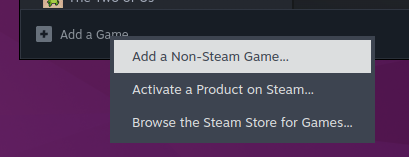
You can now open up Steam and head over to your Library. At the bottom of the Library, we are going to click Add a Non-Steam Game....
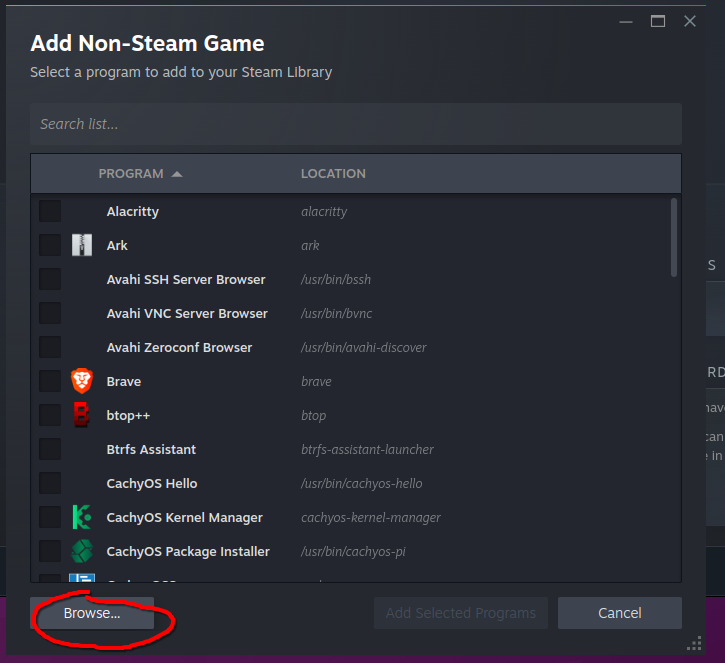
Now you should see a Add Non-Steam Game window pop up. At the bottom of this window, you'll see a Browse... button that we will be clicking to find the iw7-mod.exe file.
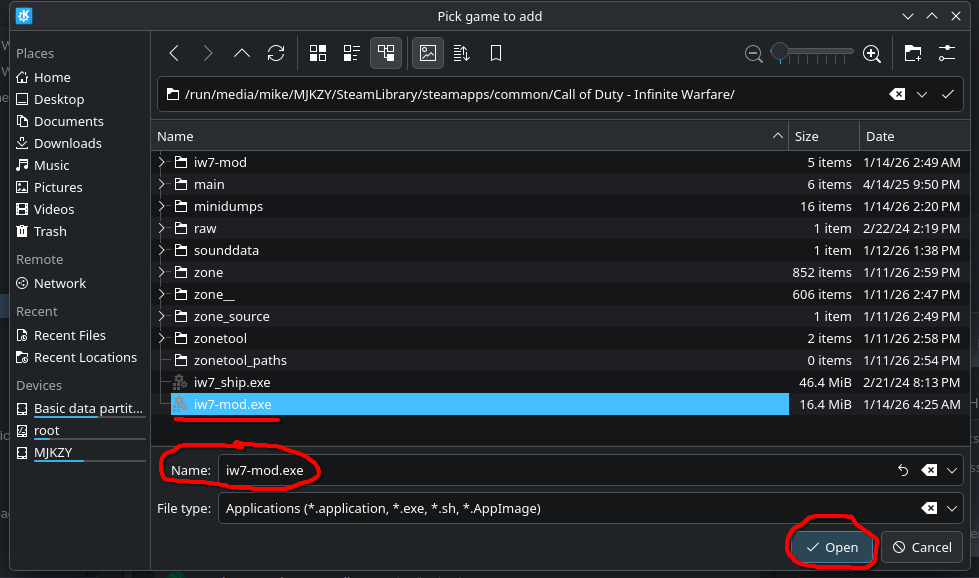
Ignoring my messy game files, you can see that iw7-mod.exe is in my Infinite Warfare install right next to the rest of the files, so we select this iw7-mod.exe, and click Open.
 You can now click the blue `Add Selected Programs` button.
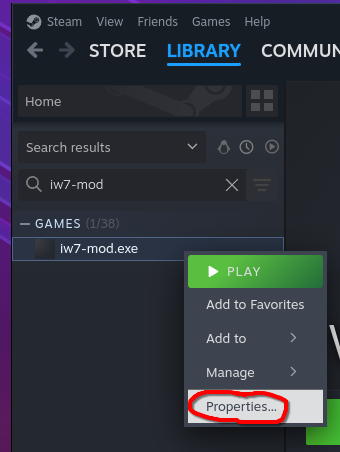
Next, we are going to right click the newly made game, and click Properties... to open the settings.
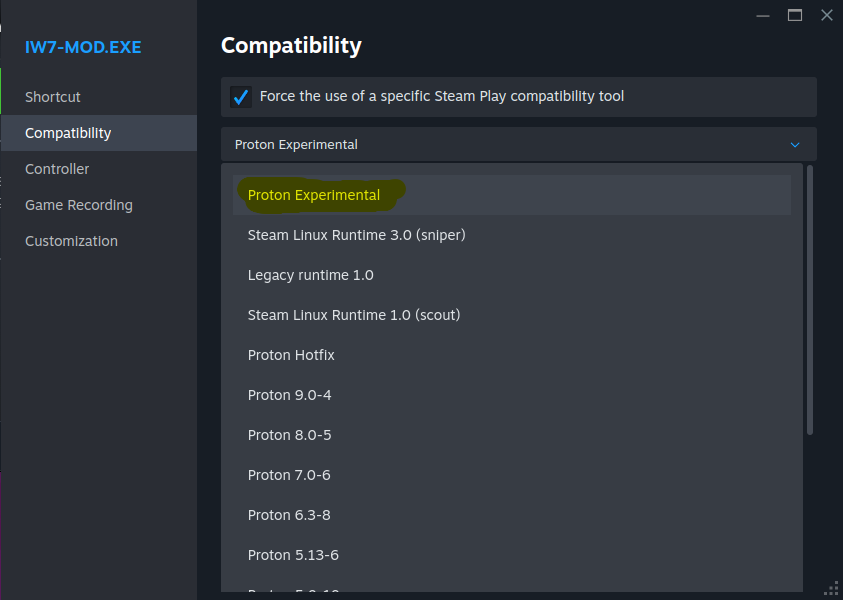
Once in properties, navigate to Compatibility on the left side. You will now need to check the box for Force the use of a specific Steam Play compatibility tool, and select Proton Experimental as the version to use.
warning
The Proton Experimental branch can easily break at any update it has on Steam. If the experimental version stops working, we recommend trying Proton 10.0-3 as a alternative.